Introduction: Why UK Retail Runs on WooCommerce
WooCommerce powers more online stores than any other platform on earth: 4.34 million live stores as of 2026, roughly a third of all ecommerce sites by store count, and the United Kingdom is its second-largest market after the United States. That dominance was not won with advertising. It was won on three things UK retailers care about: no platform transaction fees, full ownership of your store and data, and the freedom to build exactly the buying experience your products need.
But WooCommerce’s flexibility is a double-edged sword. A well-built store is fast, secure and cheap to run. A badly built one is slow, fragile and quietly leaks revenue at every step of the checkout. The difference is almost never the platform. It is the decisions made during setup, most of which are invisible until they cost you money.
This guide covers every one of those decisions for a UK retailer: hosting, payments, VAT, shipping, compliance, performance, security and realistic budgets. It is written from the store builds we deliver and maintain, including the parts that usually only come up after something has gone wrong.
Is WooCommerce Right for Your Business?
Honest answer first, because the rest of the guide is worthless if the platform is wrong. WooCommerce is the right choice when at least two of these apply to you:
- Your products or pricing have logic that templates fight. Trade and retail pricing tiers, configurable products, deposits, quotations, restricted purchasing. Hosted platforms make simple things easy and unusual things expensive.
- Content and SEO are part of how you sell. WooCommerce lives inside WordPress, so your store, blog, guides and landing pages share one system. Retailers with a content-led acquisition strategy consistently do better here than on hosted carts.
- You sell at a volume where percentage fees hurt. WooCommerce charges no platform transaction fee. You pay your payment provider and nobody else, which compounds meaningfully as revenue grows.
- You want to own the asset. Your code, your data, your customer list, exportable and portable. No platform can reprice you or change the rules underneath you.
And the counter-case, stated plainly: if you sell a small, simple catalogue, want near-zero maintenance and are happy inside a hosted platform’s constraints, Shopify is a legitimate choice and we sometimes recommend it. We have compared them properly in our WooCommerce vs Shopify guide for UK businesses. If you are reading on, we will assume WooCommerce is the fit.
The 2026 Technical Baseline
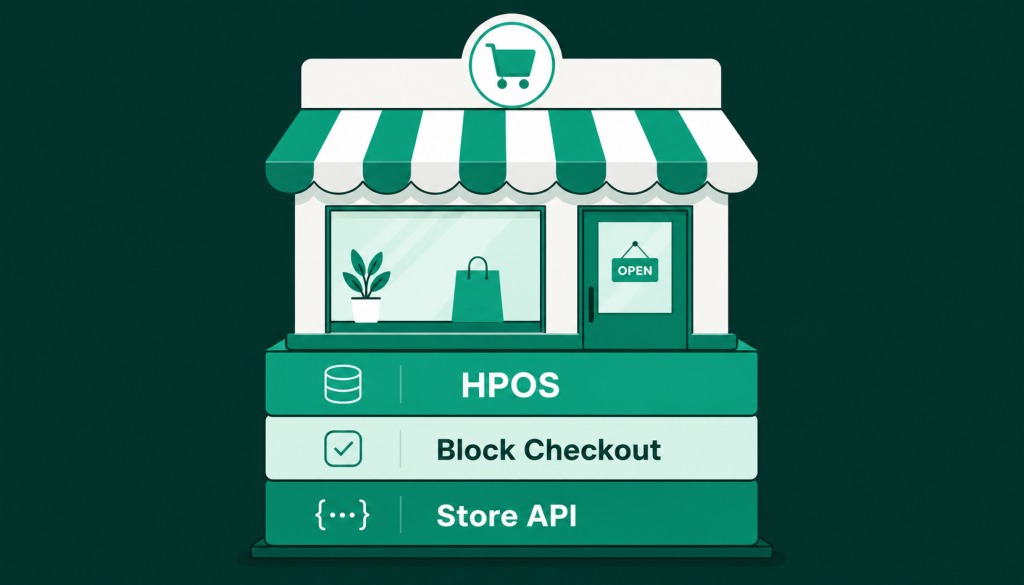
WooCommerce has changed substantially in the last two years, and a store built to 2022 patterns is already legacy. Three things should be true of any store built or rebuilt in 2026.
High-Performance Order Storage (HPOS)
HPOS moves order data out of the general WordPress posts table and into dedicated, indexed order tables. In practice it is the difference between an admin that stays responsive at 10,000 orders and one that grinds. New stores should have it enabled from day one; established stores should plan the migration. If your store runs custom code, that code must declare HPOS compatibility or WooCommerce will refuse to switch:
add_action('before_woocommerce_init', function () {
  if (class_exists(\Automattic\WooCommerce\Utilities\FeaturesUtil::class)) {
    \Automattic\WooCommerce\Utilities\FeaturesUtil::declare_compatibility(
      'custom_order_tables', __FILE__, true
    );
  }
});
If a plugin on your store has not declared compatibility by now, treat that as a signal about the plugin, not about HPOS.
The block-based checkout
The modern block checkout replaced the legacy shortcode checkout as the default, and it is faster, more accessible and easier to customise safely. It also has one commercial implication UK retailers should know: express payment buttons (Apple Pay, Google Pay) integrate natively, and on mobile, express checkout measurably lifts conversion. New builds should start on the block checkout; if your store still runs the shortcode version, the migration belongs on your roadmap rather than your someday list.
The Store API and the headless option
WooCommerce’s Store API has matured to the point where a headless build, a React or Next.js front end with WooCommerce running the commerce engine, is a planned upgrade path rather than a rebuild. Most UK retailers do not need headless. But structuring a store so the option exists costs little, and for brands where speed is a competitive weapon it is worth understanding. We cover the trade-offs in our headless WordPress services page.
Getting the Foundations Right
Hosting: the decision that sets your ceiling
Hosting matters more for a store than for any other kind of website, because every uncached, logged-in, cart-holding visitor hits your server directly. Budget £30 to £150 per month for quality managed hosting with server-level caching, staging environments and daily backups. The £5 per month tier costs more than it saves, in lost checkouts, the first time you run a promotion. UK or EU data centres are preferable for both latency and data protection simplicity.
Payments: what UK retailers actually pay
WooCommerce takes no cut of your sales. You pay your payment provider only, and in the UK that typically means:
- Card processing in the region of 1.4 to 2.9 percent plus a pence-per-transaction fee, depending on provider, card type and volume. Stripe and WooPayments sit at the lower end for UK domestic cards; PayPal at the upper end.
- Express wallets (Apple Pay, Google Pay) at card rates, and they are worth enabling on day one for mobile conversion alone.
- Klarna or Clearpay at a premium rate if your product price point suits instalments.
Two practical rules. Offer two payment routes minimum, a card provider plus PayPal covers most UK buyer preferences. And once you are established, processing rates are negotiable at volume; retailers doing £50k+ per month routinely shave 0.2 to 0.4 percent off headline rates by asking. We keep a fuller breakdown in our guide to the best payment processors for ecommerce.
VAT and tax setup
This is where UK stores most often get built wrong. The essentials:
- Registration threshold. UK VAT registration becomes mandatory at £90,000 of taxable turnover in a rolling 12 months. Configure WooCommerce with prices entered inclusive of VAT for consumer retail; UK shoppers expect the price on the tag to be the price at the till.
- Selling to the EU. Post-Brexit, consignments to EU consumers under €150 are best handled through the Import One-Stop Shop (IOSS), which charges destination-country VAT at checkout and clears customs faster. Above €150, duties apply and you must decide whether to ship DDP (you pay duties, customer sees final price) or DAP (customer pays on delivery, and a meaningful share refuse the parcel). DDP costs you more and refunds you in reviews.
- Automate the rates. Maintain VAT rates through WooCommerce’s standard rates import or a tax service rather than hand-typed tables. Hand-typed tax tables are where audits go to find things.
Shipping for UK retail
Royal Mail, Evri, DPD and ParcelForce all have solid WooCommerce integrations that print labels and push tracking numbers back to the order. The setup decisions that matter commercially: free-shipping thresholds set slightly above your average order value reliably lift that average; live rate calculation makes sense for heavy or bulky goods but flat rates convert better for typical parcels because surprise costs at checkout are the single biggest documented cause of cart abandonment; and click-and-collect is trivially easy to enable in WooCommerce and consistently underused by UK retailers with physical premises.
Compliance: GDPR, PECR and accessibility
Three obligations, all cheaper to build in than retrofit. Under UK GDPR you need a lawful basis for marketing (unticked opt-in boxes at checkout, a privacy policy that reflects what you actually do, and data export/erasure capability, which WooCommerce provides natively). Under PECR your cookie banner must offer genuine refusal, not decoration, and your analytics should not fire before consent. And accessibility is both a legal exposure under the Equality Act and a revenue issue: an accessible checkout is one that more people finish. If your store’s baseline is unknown, our free performance audit tool checks accessibility alongside speed.
The pattern across everything in this section: the cost of doing it correctly at build time is a fraction of the cost of correcting it while trading. The most expensive WooCommerce store is the one you pay for twice.
Performance: Speed Is a Line on Your P&L
Page speed is not a vanity metric on a store. It is conversion, ranking and ad-cost efficiency in one number. The 2026 targets worth holding a store to: Largest Contentful Paint under 2.5 seconds on product pages measured on mobile, and interaction latency low enough that variant switching and add-to-cart feel instant.
What actually moves those numbers on WooCommerce, in descending order of impact:
- Hosting and server-level caching, as above. No plugin rescues a slow server.
- Image discipline. Product photography served as WebP or AVIF with responsive sizes. On a typical retail page images are 70 percent of the payload.
- Plugin restraint. Every plugin is a promise of future load and future conflict. A healthy store runs on 15 to 25 well-chosen plugins, not 60.
- Cart fragment awareness. WooCommerce’s live cart-count updates fire an uncached request on every page load. On content-heavy sites, restricting cart fragments to shop pages is one of the oldest and still most effective WooCommerce speed wins.
- A theme built for commerce. Multipurpose mega-themes carry the weight of every feature you will never use. A focused build pays for itself in speed alone.
Security and Maintenance: The Unglamorous 80 Percent
A store handles personal data and payment journeys, which makes it a target by default; WordPress sites in general face attacks around the clock, and commerce sites are the prize tier. The non-negotiables:
- Updates on a schedule, tested on staging first. Core, WooCommerce, theme and plugins. The gap between a patch being released and being exploited is now measured in days.
- Offsite daily backups with tested restores. A backup you have never restored is a hope, not a backup.
- Two-factor authentication on every admin account, and role discipline: staff processing orders do not need administrator access.
- Uptime and checkout monitoring. Not “is the site up” but “can a customer complete a purchase right now”. The second question is the one that matters and the one almost nobody monitors.
Realistically, this is two to four hours of skilled attention per month, every month, forever. Some retailers staff it internally; most put it on a retainer. Our WordPress maintenance plans exist for exactly this workload, and whoever does yours, the test is the same: ask to see the update log and the last restore test.
What a WooCommerce Store Costs a UK Retailer
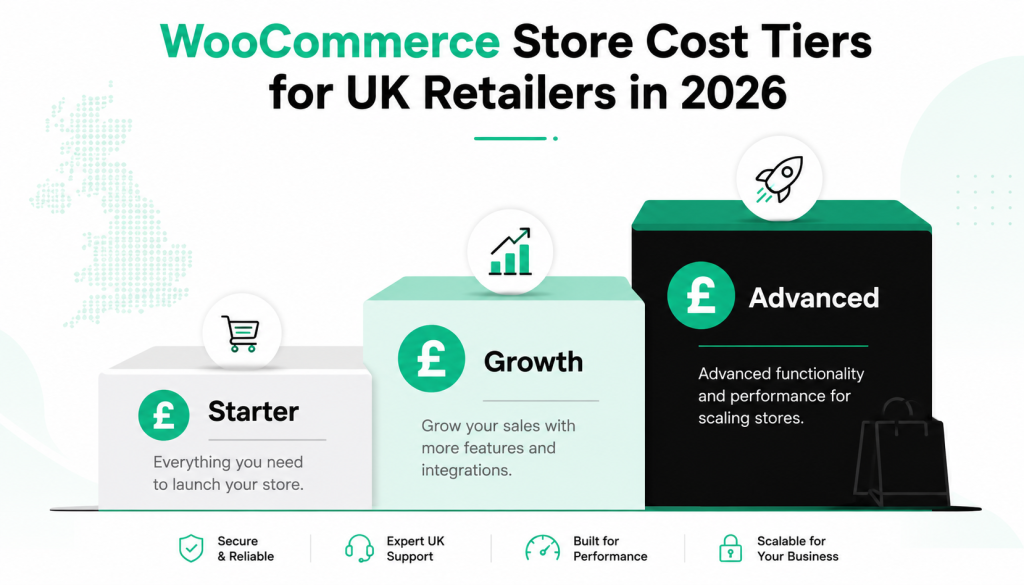
Realistic 2026 budgets, from our own quotes and the market data we publish:
- Starter store (refined theme, up to ~50 products, standard checkout): £4,000 to £8,000 to build.
- Custom store (bespoke design, conversion-focused checkout, 1 to 3 integrations): £8,000 to £20,000.
- Advanced build (subscriptions, B2B pricing, ERP/CRM integration, performance engineering): £20,000 to £50,000.
- Running costs: hosting £30 to £150 per month, premium plugin licences £200 to £800 per year (registered to you, never to your agency), payment processing as above, and maintenance from £150 per month depending on complexity.
The comparison that matters is not WooCommerce’s build cost against a hosted platform’s monthly fee. It is total cost of ownership over three years at your projected volume, where WooCommerce’s absence of platform fees changes the arithmetic as you grow. We have run those numbers side by side in the platform comparison.
Planning a store, or rescuing one?
Our team designs and engineers WooCommerce stores for UK retailers: bespoke builds, replatforming and performance rescue. Fixed, itemised quotes within 48 hours.
Scaling: Where WooCommerce Earns Its Keep
The platform’s real advantage appears after launch, when the business changes shape and the store has to follow. The common UK growth paths, all native or near-native to WooCommerce:
- Subscriptions and repeat purchase. Consumables, memberships and replenishment models via WooCommerce Subscriptions, with full control of the billing logic.
- B2B alongside B2C. Trade pricing, account-based catalogues, quotation workflows and credit terms on the same store, which hosted platforms typically gate behind enterprise tiers.
- Multi-currency and multilingual. Selling into the EU and beyond with localised pricing and content, one codebase.
- Deep integrations. EPOS, inventory, accounting, fulfilment and marketing automation. When your operations run through the store, owning the code stops being a preference and becomes a requirement. A small worked example from our own builds: integrating SMS order alerts into WooCommerce.
Measuring What Matters
A surprising share of UK stores trade blind: traffic numbers on a dashboard, no idea which products, channels or pages actually make money. The measurement baseline for a WooCommerce store is four layers. GA4 with ecommerce events wired properly, so purchases, add-to-carts and checkout steps are all tracked (WooCommerce’s Google integration handles most of it, but verify the purchase event fires once, not twice; double-counted revenue is the most common analytics defect we find). Search Console, so you can see which product and category pages earn impressions and which need work. WooCommerce’s own analytics for the merchandising questions: best sellers, refund rates, average order value by channel. And a conversion-rate benchmark, because context turns numbers into decisions: typical UK retail conversion sits between 1.5 and 3 percent, and if your store sits below 1 percent the problem is nearly always speed, checkout friction or traffic quality rather than price.
One habit that outperforms any tool: a monthly 30-minute review of three numbers only. Conversion rate, average order value, and repeat purchase rate. Every meaningful ecommerce improvement moves one of those three, and a store team that watches them will spot a broken checkout, a shipping-cost problem or a retention opportunity months before it shows in the accounts.
The Five Mistakes We Fix Most Often
- Bought cheap, paying twice. A budget build that cannot be extended or secured, rebuilt within 18 months. Roughly a third of our WooCommerce work starts this way.
- Plugin sprawl as a substitute for engineering. Sixty plugins doing the work of ten, each one a performance tax and an update risk.
- Agency-owned licences and hosting. The store trades, but the retailer does not own it. Insist on everything in your name from day one.
- Checkout friction nobody measured. Forced account creation, surprise shipping costs, missing express payments. The checkout is where the money is won or lost, and it deserves design attention first, not last.
- No maintenance plan. The store launches, everyone moves on, and 14 months later an unpatched plugin does what unpatched plugins do.
A WooCommerce store is not a project that ends at launch. It is a trading system that deserves the same operational seriousness as your stock and your accounts. Build it with year two in mind and year one takes care of itself.
Where to Go From Here
If you are starting from zero: choose quality hosting, build on the 2026 baseline (HPOS, block checkout), get VAT and compliance right before launch, and budget honestly for maintenance. If you have a store already: run it through our free performance audit, check who owns your licences, and ask when the last restore test happened. The answers will tell you whether you have an asset or a liability.
And if you would rather have specialists carry it: our WooCommerce development team in London builds, migrates and maintains stores for UK retailers, and we are happy to give you an honest read on your setup either way.
Written by the Synmek team. Synmek is a London digital product studio and WordPress agency, named a top UK web design and development company by DesignRush. Sources: Store Leads live store counts (2026); Cloudways WooCommerce statistics (2026); W3Techs CMS usage statistics (2026); HMRC VAT registration guidance (2026).
Ready to put this into practice?
Book a free 30-minute discovery call with our team. No pitch deck, no pressure — just a conversation about your goals.